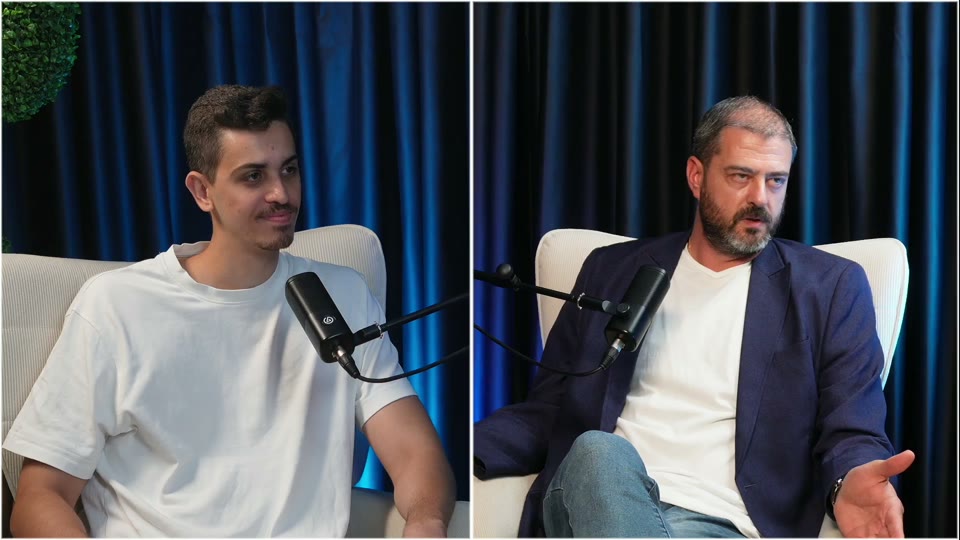
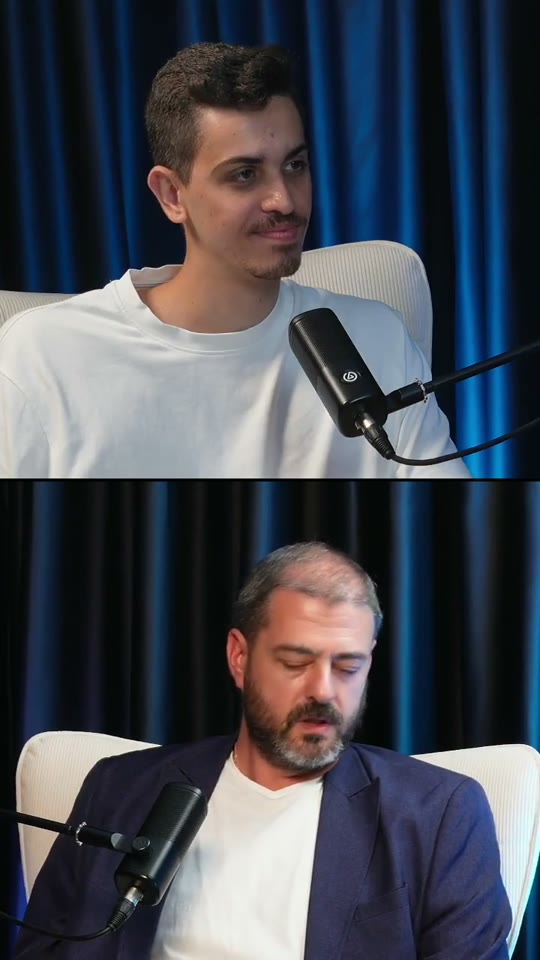
Framed on whoever’s talking
Two people, two cameras, a split screen? Each clip stacks both speakers, one above the other, and follows the conversation as it moves.
Drop in your podcast. Cutlify finds the moments worth posting and hands them back as vertical clips with captions, framed on whoever’s talking.
Ready for TikTok
 Reels
Reels Shorts
A real episode of Haim Dolev’s podcast, recorded in Hebrew. Cutlify found seven moments worth posting. Here are six, captioned in English. Tap one for sound.
A quotable three-tier rule on learning from mistakes that every mentor can repeat.
A reframe on skills and creating your own stage, for anyone waiting for permission.
Direct mentoring: test the idea now with a small ad budget instead of waiting.
Shows how one voice can open someone's sense of what is possible.
A father's lesson on soft skills that applies to kids, founders and clients.
A practical growth tactic: free content for three businesses becomes a funnel and a case study.
Straight from your recorder, Riverside or Zoom. Video podcasts, interviews, panels and livestreams, up to three hours.
It reads the whole conversation and keeps the moments that stand on their own: a story, a hot take, a lesson. Each one gets a title and a note on why it works.
Untick what you don’t want and export the rest, captioned and framed. Add zooms, music or B-roll on the way out.
Two people, two cameras, a split screen? Each clip stacks both speakers, one above the other, and follows the conversation as it moves.
Word by word, with the words that matter set large.
Halfway through clip #1, Haim mixed up his own rule. The clip keeps the clean take, so you’d never know.
Punch-ins on the key words, music that fits each clip’s mood, and B-roll where a line needs a picture.
Cutlify’s editor cuts the pauses, filler words and false starts from a solo take and adds the zooms. One take in, a post out.
See the editorAnything where people talk: video podcasts, interviews, panels, livestreams, webinars and Zoom calls, up to three hours long.
It reads the whole conversation and looks for moments that open strong, stand on their own and land a point. Each comes with a title and a note on why it works, and it tells you when a moment may need more context. You choose what to export.
Yes. Each clip follows the conversation: one speaker full height, or both stacked one above the other when the episode shows them side by side. You can switch the layout.
English and many more. The episode on this page was recorded in Hebrew.
Yes. Before you export, add punch-in zooms on the key words, music that fits each clip, and AI B-roll where a line needs a picture.
No. Drop the episode, untick what you don’t want, export.
Drop it in. Cutlify finds the clips. You post them.